Competition Scoring
In Crux, every climb shows exactly what it's worth. Each climb has its own points, and you can see and change them at any time on the competition's Climbs screen.
How a Climb Is Scored
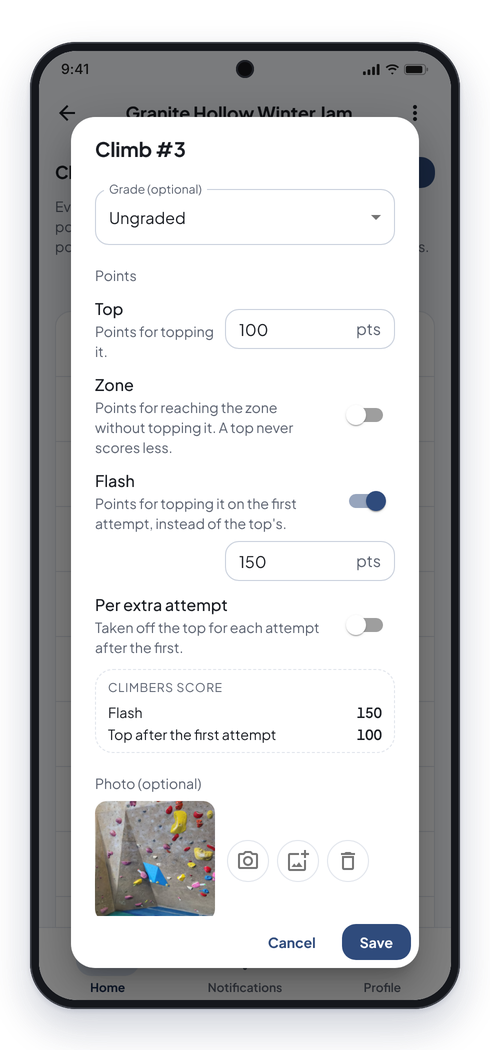
Each climb has up to four values:
| What it means | |
|---|---|
| Top | Points for topping the climb. |
| Flash (optional) | Points for topping it on the first attempt, instead of the top's. |
| Per extra attempt (optional) | Points taken off the top for each attempt after the first. A top never scores less than the zone. |
| Zone (optional) | Points for reaching the zone without topping the climb. |
On each climb, a climber scores the best thing they reached: a flash, a top (minus any points for extra attempts) or the zone. Points aren't added up, so a top doesn't also earn the zone's points. A climber's score is the total over all their climbs.
Points can have one decimal place, so formats like World Climbing's work (Top 25, Zone 10, 0.1 off for each extra attempt).
When you edit a climb's points, Climbers score shows what a climber gets on each attempt, so you can check the numbers before you save.
Starting Points
When you create a competition, pick a starting point. Every climb starts with these points:
- Same for every climb: Flash 150 · Top 100 · Zone 50. The classic gym scramble.
- Points drop with each attempt: Top 100, 10 points off for each extra attempt, Zone 50.
- World Climbing style: Top 25, 0.1 off for each extra attempt, Zone 10.
Change any of the values before you create it, or turn the zone, flash or penalty off. You can change any climb's points later.
Changing Points
On the competition's Climbs screen, every climb shows its points, like F 150 · T 100 · Z 50.
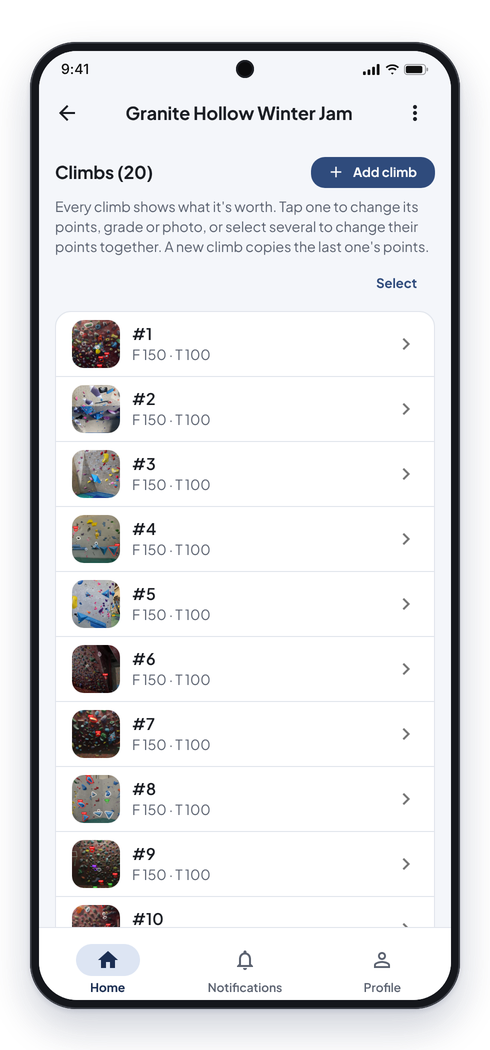
- One climb: tap it and change its points.
- Several climbs: tap Select, pick the climbs (or filter by grade and Select all), then tap Edit points. Fields where the climbs differ show Mixed, and they stay as they are unless you change them.
- Fill points: from the ⋮ menu (or the selection bar), fill every climb's points, or just the selected ones, in one go:
- Same for all: every climb gets the same points.
- By grade: harder climbs are worth more. Give your climbs grades first, then set a top for each grade.
- By number: climb #1 gets the points you enter, and each next climb's top goes up by a step.
Adding a climb copies the points of the last climb, and you can change them in the climb's dialog.
Changing points during a competition
Scores are always worked out from the climbs' current points, so changing a climb's points re-scores everyone who has climbed it. If anyone has already scored, Crux tells you how many competitors' scores and leaderboard places will change, and asks before saving.
More Scoring Settings
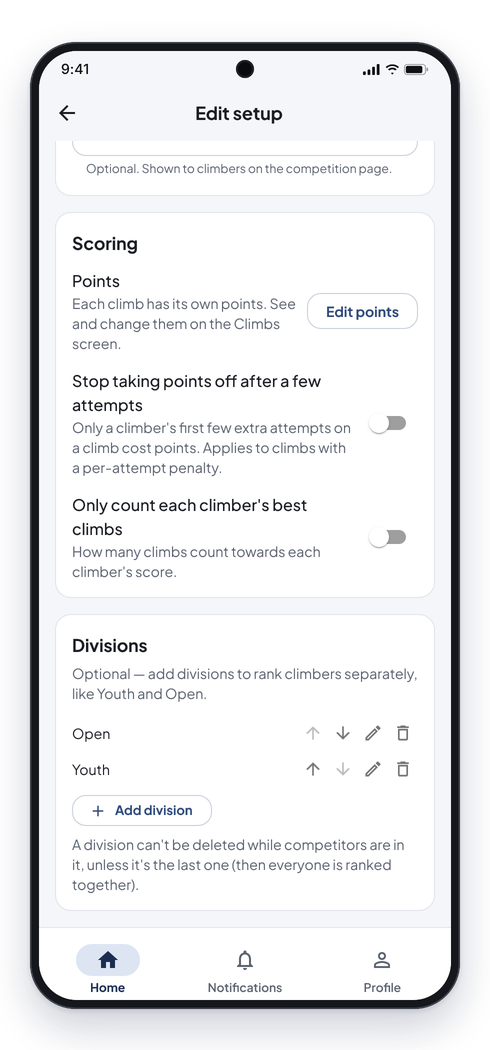
Under Edit setup → Scoring:
- Stop taking points off after a few attempts: only a climber's first few extra attempts on a climb cost points. For example, with 10 points off per attempt and a limit of 3, a top is never worth less than 70 on a 100-point climb.
- Only count each climber's best climbs: only each climber's best N climbs count towards their score.
Ties
Climbers are ranked by:
- Higher score.
- More tops.
- Fewer attempts on the climbs that counted.
Climbers who are still tied share the place (1, 1, 3).