Competitions for Climbers
Here's what your climbers see, so you can explain it at the start of your comp.
Finding and Joining
Climbers find your competitions on your gym's page in Crux. A live competition shows near the top of the page. Each competition has its own page with:
- When it runs and how many people are competing.
- How scoring works, written out in plain words from your climbs' points.
- Your description and rules.
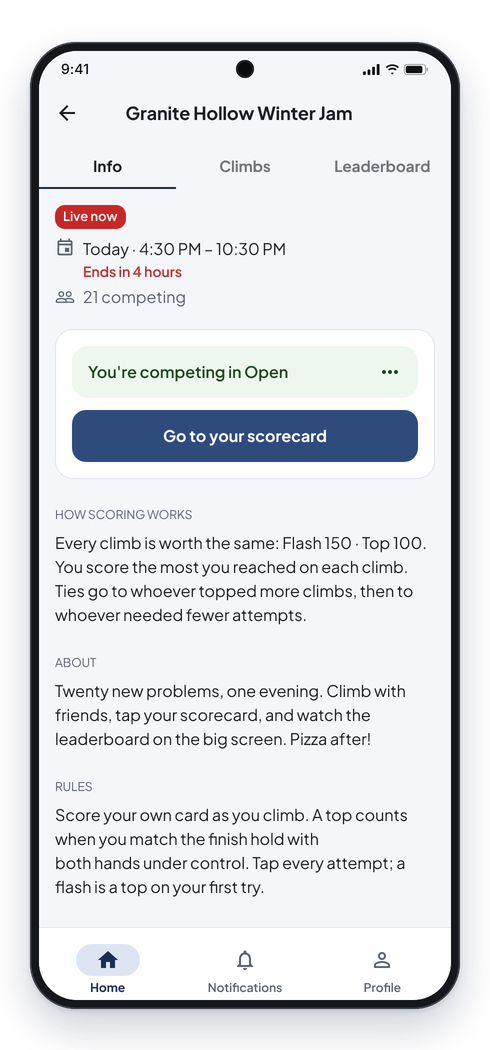
Climbers tap Join (and pick their division, if there are divisions). They can join any time until the competition ends. Without an account, people can still look at a competition and its leaderboard.
Scoring on Their Phone
During the competition, the Climbs tab is the climber's scorecard. Each climb shows its photo and number, with buttons:
- Attempt: one more attempt.
- Zone: they reached the zone (only on climbs with a zone).
- Top: they topped it. When a top's points depend on the attempt (a flash bonus or points off per attempt), the button shows what a top is worth right now, like Top · 100.
An accidental top can be undone straight away, and tapping a climb's result lets them correct it. Their points, their place and how many climbs they've topped stay at the top of the screen.
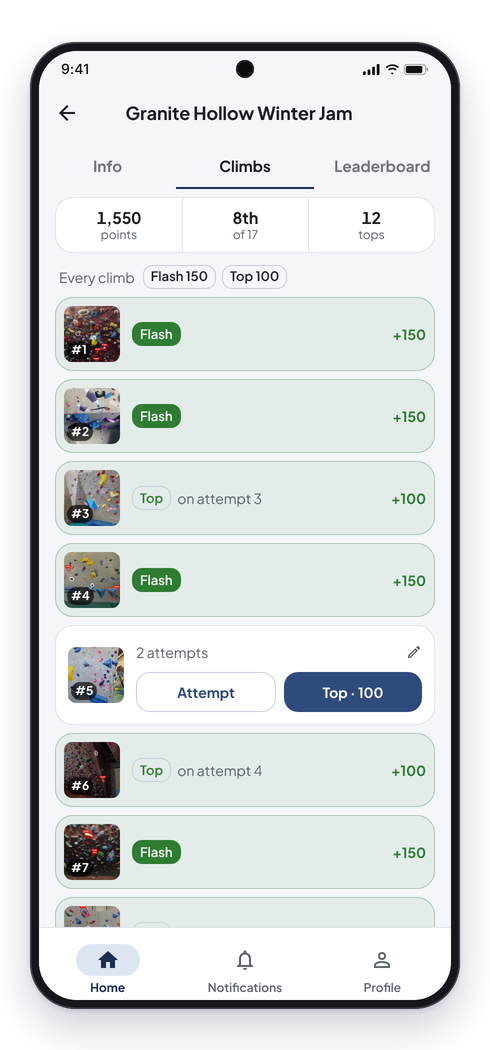
Every top also goes into the climber's logbook, so their stats keep counting. (A test competition never touches anyone's logbook.)
The Leaderboard
The Leaderboard tab ranks everyone (in each division) and updates as climbers score. Tap a row to see that climber's result on each climb.
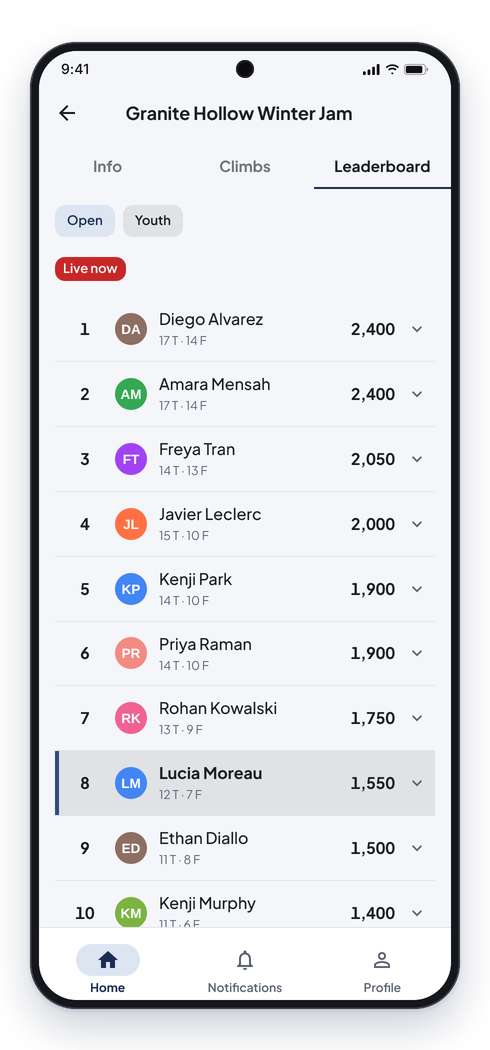
When the competition ends, the leaderboard is final, and competitors get a notification saying where they placed.