Posters and Social Media
Crux makes posters and social media images for your gym. Each one shows your gym's name and one of your climbs, so climbers recognise your wall, and posters have a QR code that takes climbers straight to your gym in Crux.
To find them, go to Gym Settings → "Posters and social media" (under Insights and promotion). Only your gym's admins can download them.
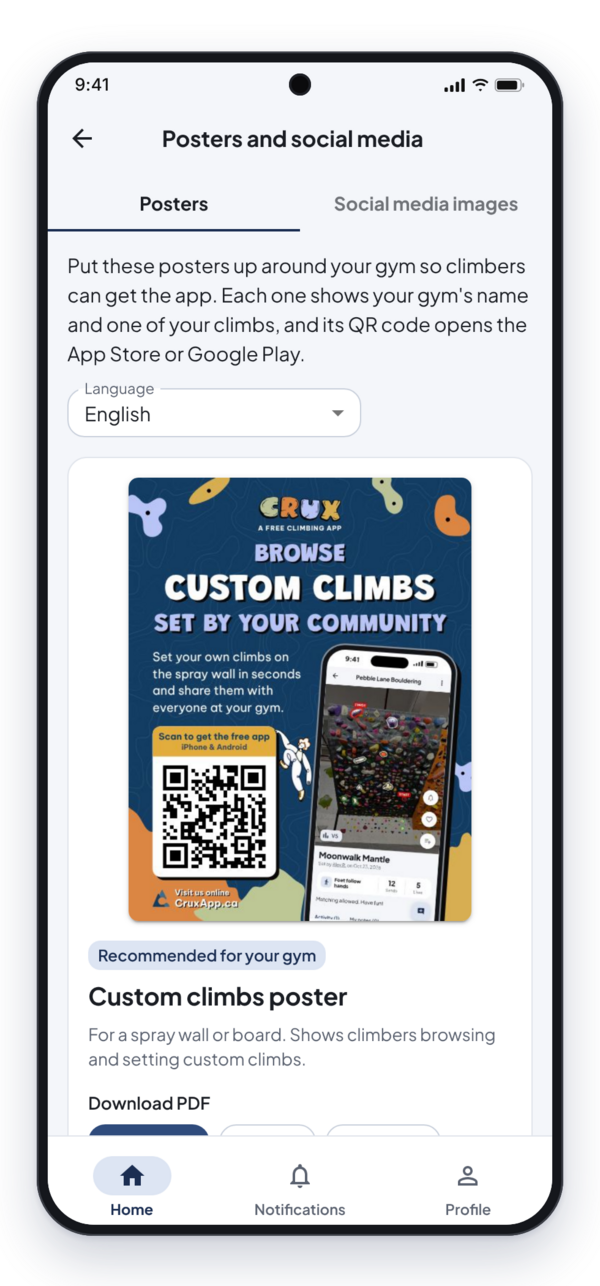
Posters
Pick a poster, a poster language and a size (Letter, A4, 11×17 or A3), then tap "Download PDF". Crux recommends the posters that suit your gym:
- Spray wall poster (and a plainer Spray wall poster, clean) – For a spray wall or board.
- Custom climbs poster – Shows climbers browsing and setting their own climbs.
- Whole gym poster – Shows climbers your climbs, sends and what's new.
- Print at 100% (actual size), not "fit to page". Letter and A4 work at the front desk; 11×17 and A3 on the walls.
- Print in colour on matte paper: glossy paper reflects light and makes the QR code harder to scan.
- Hang posters at eye level where climbers rest, near the spray wall and by the front desk. Test the QR code with your phone once it's up.
Your analytics count how many times your posters' QR codes are scanned.
Social Media Images
The "Social media images" tab has ready-made images for your gym's Instagram, Facebook or X account, in the language you pick. Each comes in four sizes:
- Story (1080 × 1920) – Instagram and Facebook stories
- Portrait (1080 × 1350) – Instagram and Facebook posts
- Landscape (1200 × 630) – Facebook, X and LinkedIn posts
- Square (1080 × 1080) – Any feed
Tap "Download" to save an image, and "Copy caption" to copy a suggested caption to go with it.